

Choose Game Lab if its Android game collection and category-based browsing suit the way you take short breaks. Choose Poki if you want browser access across devices, or prefer its web-game selection. Poki also has an official Android app, so this is not simply “an app versus a website.”
The more useful Game Lab vs Poki comparison is how you find a game, return to it and keep your progress. Neither an install button nor a large catalog tells you whether your particular game will fit a five-minute break.
Game Lab vs Poki at a glance
| Decision | Game Lab | Poki |
|---|---|---|
| Verified entry route | Android app on Google Play | Mobile browser and official Android app |
| Finding something to play | Browse/search a 150+ mini-game collection; categories include action, racing and puzzles | Browse/search web games; categories include driving, puzzles and two-player games |
| Returning to progress | Official listing does not establish a universal cloud-save or cross-device guarantee | Browser FAQ documents local progress and optional account saving; check your chosen game |
| Offline expectation | Do not assume every game works offline | Poki says its games require an internet connection |
| Start here if… | You want to explore Game Lab’s collection from one Android hub | You want a browser route or Poki’s particular game selection |
This is a comparison of current official descriptions and documentation, checked on 14 October 2026—not a hands-on speed, battery or game-quality benchmark. Catalog availability and individual game behavior can change.
Game Lab: an Android hub for browsing mini-games
Game Lab brings multiple games into one Android app instead of asking you to install a separate app for each title. Zappira makes Game Lab and publishes this site; that is why the comparison also makes clear where Poki may be a better fit.
The official Game Lab listing describes category browsing, search and dark/light themes, with action, racing, arcade, puzzle, simulation and two-player options. Start with the categories you actually enjoy rather than treating the catalog count as a quality score.
The illustration below uses Game Lab’s real catalog screen and official icon. It is a generated product illustration, not an untouched screenshot or a promise that every pictured game will remain available.
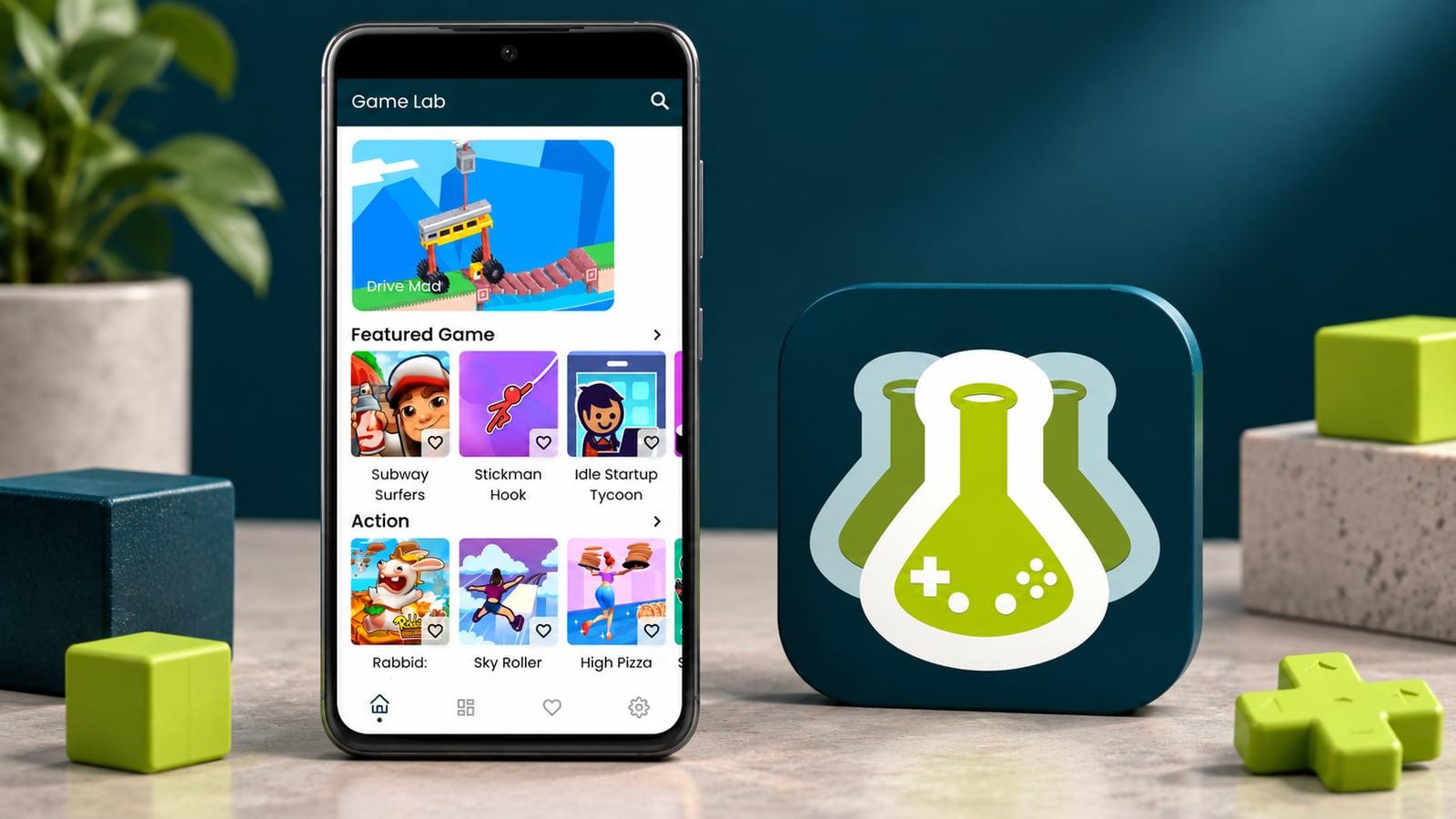
Its limit in this comparison: the official listing does not establish a full-catalog offline mode or a universal cross-device save system. If either matters, verify the particular game before investing time. Installing a game hub is not evidence that all of its games are stored locally.
If Game Lab’s collection matches your interests, check its current official listing and device compatibility before installing.
Poki: browser play, with an Android app option too
Poki’s mobile-games page provides a browser route on phones and tablets. That makes it a useful starting point when you want to explore on the web before deciding whether to install an app.
There is also an official Poki Android app. Its listing describes browsing or searching categories and launching web games through the app. Game Lab is therefore not the only option here for players who prefer an Android app entry point.
The important follow-up is what happens when you return. This neutral editorial illustration represents checking a checkpoint across sessions; it is not a Poki screen or a claim that every game synchronizes between devices.

According to Poki’s FAQ, browser play without an account stores progress locally in browser cookies; private browsing or cookie blockers can interfere, and clearing cookies resets progress. Poki also documents optional account-based online saving. Those browser instructions should not be assumed to describe every detail of its Android app.
Treat account saving as something to verify with your chosen game, not a blanket guarantee. Poki’s developer documentation describes cloud-save limits. Its FAQ also states that Poki games need an internet connection to load and play. For a trip with unreliable service, choose only after checking a genuinely offline option.
A three-round check before you choose
Use the same small checklist for both services. This is a suggested decision process, not a claim that we ran these tests.
- Match the break. Pick one category you enjoy and shortlist two games. For a five-minute break, look for a round you can finish or pause comfortably, rather than spending the whole break browsing.
- Check the return. With a low-stakes game, reach a checkpoint, leave normally and return later through the same route. Note what resumes. If switching devices matters, check that separately before relying on it.
- Check the real setting. Try your usual connection, screen orientation and touch controls. If offline play is essential, require explicit support and verify it before travel. Do not infer it from an app installation.
Write down just three results: “found a game I like,” “returned as expected,” and “works where I play.” The option that satisfies your routine is more useful than a universal winner based on catalog size.
Which should you choose?
Start with Game Lab if you want to explore its grouped mini-game collection on Android and its browsing layout appeals to you. Start with Poki if browser access is important or its game selection fits better; remember that it offers an Android app too.
If your deciding requirement is reliable offline play or preserving a long-running save, do not choose either on assumptions. Check the exact game and documented saving route first.
For a wider shortlist, see our mini-game collection apps for Android. If you are still choosing between a hub, browser play and other access methods, the guide to playing mini-games without separate installs covers that broader decision.